


Manual Handling Software

Give supervisors, H&S and operational teams a single workflow for manual handling: Create assessments, allocate actions to owners, and monitor progress and review dates across sites.

Worker in a hi vis vest carrying a box in a warehouse.

Standardise manual handling assessments, apply the right controls, and keep actions and reviews on track across teams.

Manual handling assessments often end up as inconsistent paperwork that’s hard to keep current and even harder to turn into action. Replace manual paperwork with a guided workflow that helps teams assess lifting and carrying tasks, apply controls, and follow actions through.

Complete assessments faster, with consistent outputs

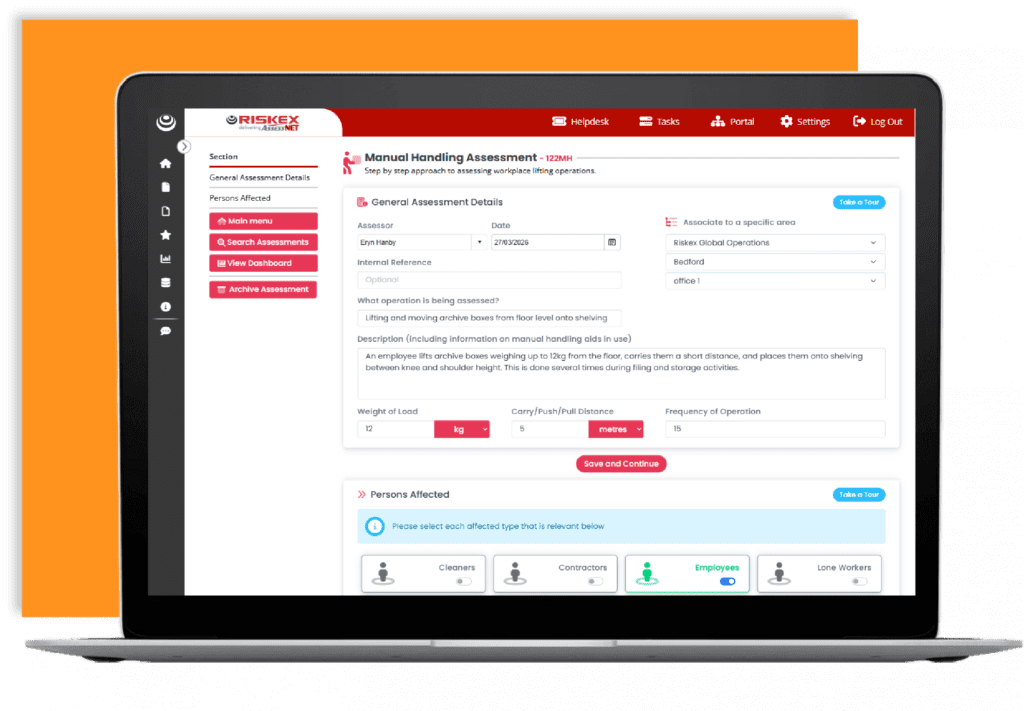
  • Standardise your approach and speed up assessments without losing the detail needed to evidence decisions.
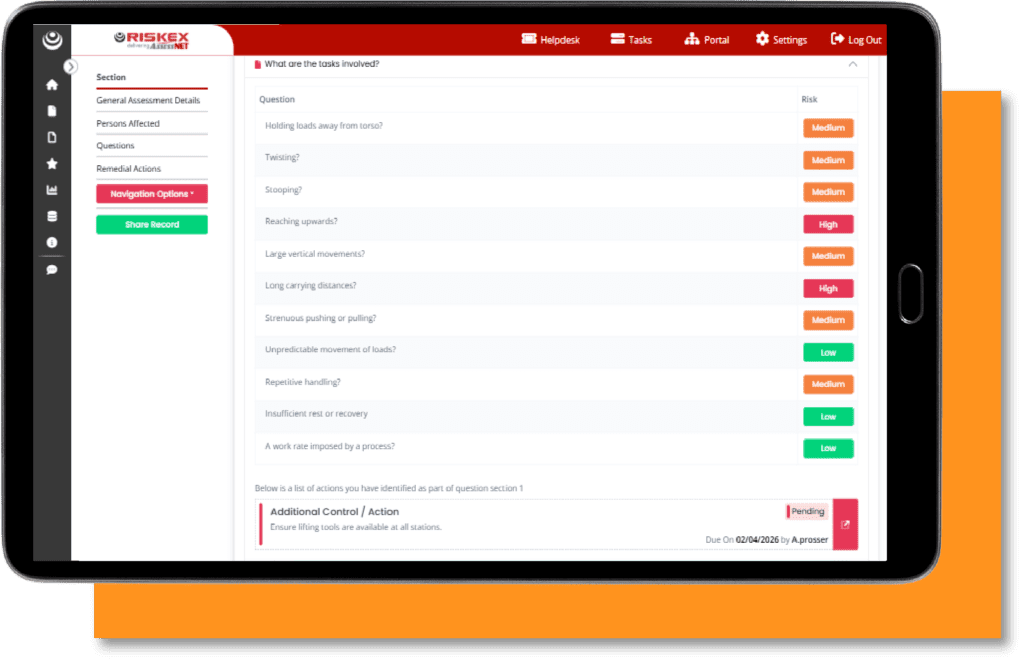
  • Share step-by-step question sets, including your own custom questions, with responses guided by Low/Medium/High risk categories and clear colour-coding.
  • Assign actions from findings, track progress, and capture outcomes all within the assessment report.
  • Hide sections so teams only see what’s relevant to the task and role.
  • Keep historical versions to evidence changes, improvements, and review outcomes over time.
  • Increase privacy for sensitive tasks with controlled visibility and access permissions.
A mobile phone displaying an illustration of the sign up process for Riskex's Health and Safety eNewsletter.

Want topical Health and Safety updates straight to your inbox?

Stay informed with the latest health and safety updates

Subscribe to our Health & Safety eNewsletter

* indicates required

Access management reporting relevant to your business

Board reporting and compliance evidence depend on having assessment data you can interrogate quickly, without manual collation.

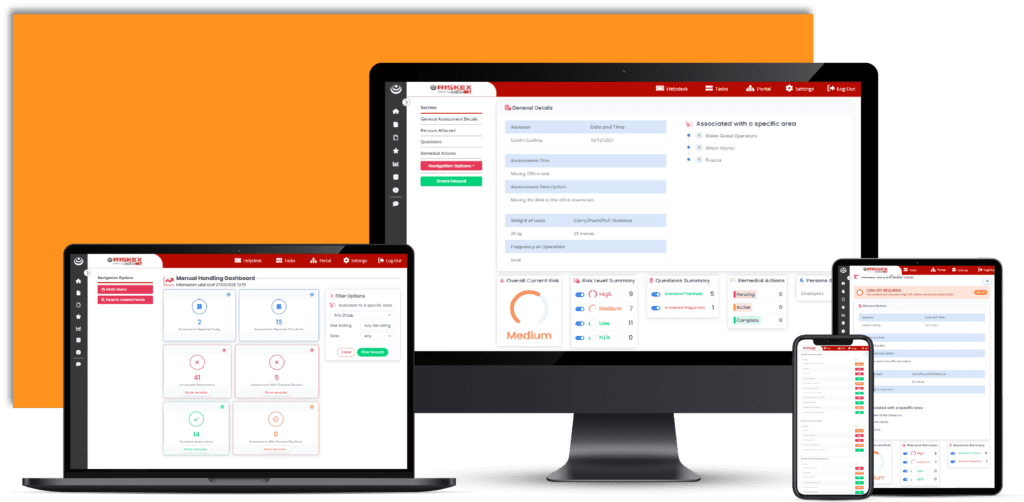
  • Dashboards highlight trends and hotspots so you can prioritise strategic risk controls.
  • Automatic reminders prompt reassessments when reviews are due.
  • Link manual handling assessments to risk assessments to support investigations, corrective actions, and ongoing risk reduction.
  • Auto-archive one-off assessments based on a set timeframe, keeping records tidy and relevant

Make manual handling visible, actionable, and easy to follow

If people can’t find the right assessment quickly, controls won’t be followed. The Employee Portal and task management keep assessments visible and actions moving.

  • Generate clear, role-relevant outputs so employees understand the risks and the controls that apply to their task
  • Share assessments with employees and contractors through the Employee Portal, or externally via ShareAnywhere links with controlled access.
  • Link manual handling assessments to other assessment types in AssessNET (for example, Risk Assessments) to keep related work connected
  • Create targeted actions to reduce risk, with owners, due dates, and accountability
  • Track progress and evidence outcomes directly within the assessment report

Key Features of our Manual Handling Software

Configurable matrix

Apply a risk matrix that aligns with your policies, thresholds, and internal processes.

ISO Compliance

Rely on version control and audit history to support transparency, ISO 45001 and HSG65-aligned ways of working.

Link assessments

Connect manual handling assessments to related incidents through integration with the Risk Assessment module.

Employee portal access

Give employees and contractors quick access to the latest assessments via the Portal.

WCAG aligned accessibility and improved layout

A clearer, more accessible interface designed in line with WCAG AAA principles, improving usability.

ShareAnywhere distribution

Replace email attachments with secure ShareAnywhere links for employees, contractors and external stakeholders, with controlled access and a full sharing/access history.

Resources

Manual Handling in Warehouse
Read More
Person attemping to pick up a box.
Read More
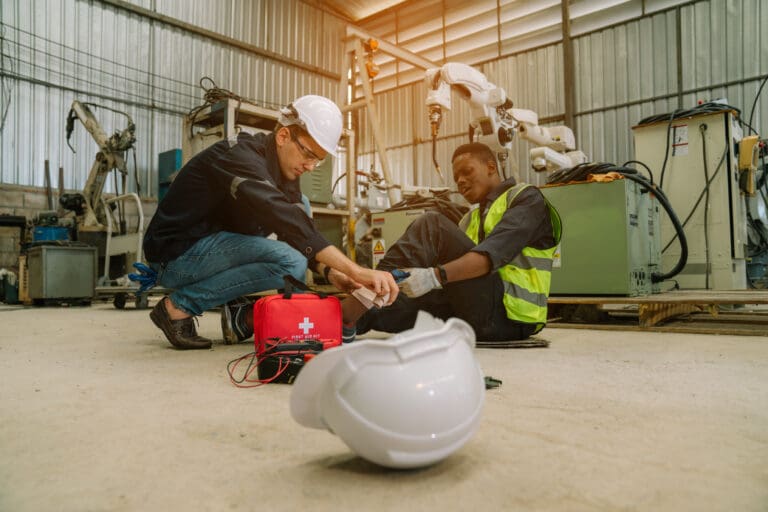
Worker giving first aid to staff suffering an injury.
Read More

Other modules

What our Clients Say About us

Skip to content